Use TaskLayout to save your desktop layout and easily restore it later. All active windows, along with their location and size, can be saved to layout files using this easy-to-use application. These files can then be run at any time, and you can also save as many layouts as you prefer.
Multiple monitor support and portable operation
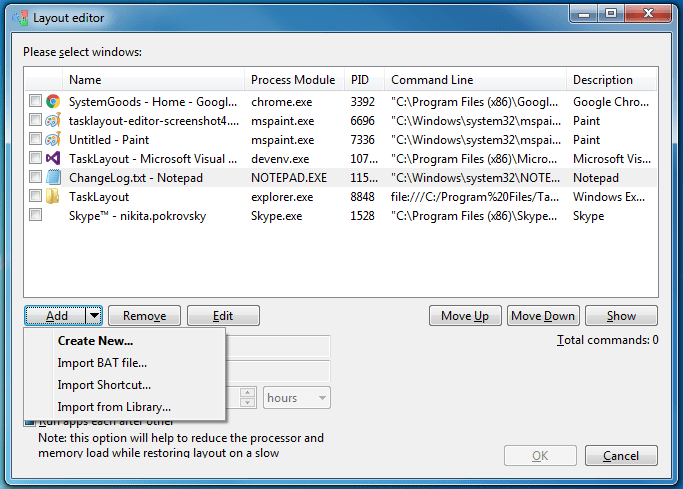
It supports multiple monitors and also saves some specific information, such as the disk location in Windows Explorer. The application is portable, and once you open it, it will run in the background and will be accessible from the system tray. You can save a new layout by double-clicking on the TaskLayout system tray icon. A layout editor will open, where you will be able to choose amongst open windows and add them to the TLF layout file.Hotkeys and layout management options
You can add any number and different types of windows to layout files, such as Windows Explorer, Microsoft Word, browser, text files, and others. You can also set hotkeys to activate the next/previous window, close the current layout, open/close specific layouts, and more. There is also an autorun option and an option to close the active layout when opening a new one, amongst some other options.